
Digital menu management software
Build the Menu Once, Use It Everywhere
Categories, dishes, sizes, options and extras live in one place and show up on the till, the kitchen screen and the QR menu.

Setting up your menu
1
Categories
Momo, Noodles and Rice, Drinks and more.
2
Dishes
A name, price, photo and any sizes.
3
Extras
Set limits and how many are free.
Outcomes
- One menu for till, kitchen and QR
- Photos that sell dishes
- Prices changed in one place
- Sold-out dishes hidden at once
- Less training for new staff
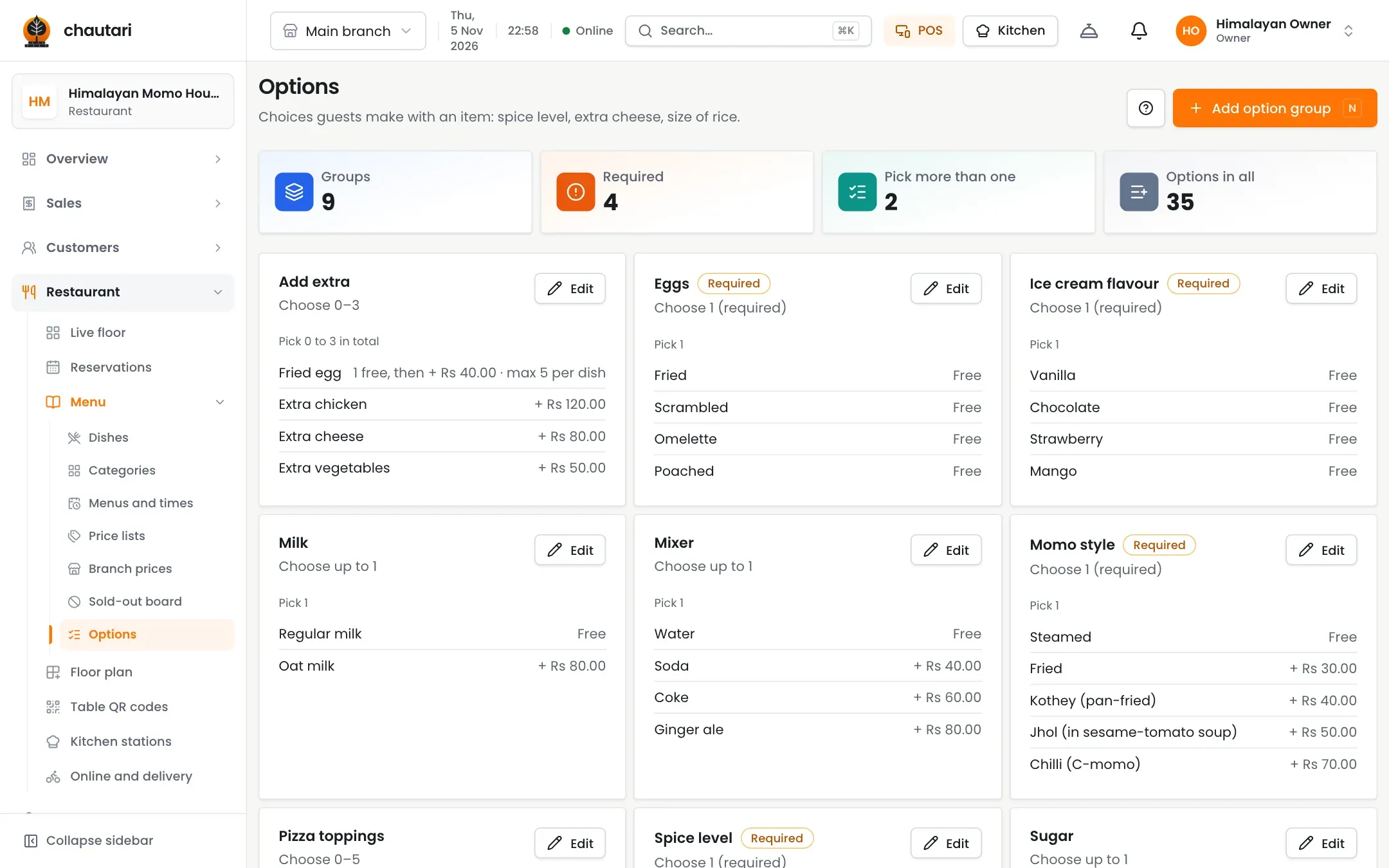
Options guests understand
Sizes, spice levels and extras with clear prices.
- Sizes such as half and full plate
- Options like spice level
- Extras with a limit and free allowance
- Charge per dish or once for the whole order
Faster set-up
Do not type your whole menu from scratch.
- Photos from the image library or your own
- Import dishes from a photo of your menu
- Translate names and descriptions
- Mark a dish sold out in a tap
Can I import my existing menu?
Yes. You can start from a photo of your menu and review the draft before it goes live.
Can extras have free allowances?
Yes. For example the first one free, then a price for each after.
Where does the menu show up?
On the till, the kitchen screen and the QR menu.
Can I hide a dish quickly?
Yes. Mark it sold out and it disappears from the QR menu.
More from Chautari
Ready to build your menu?
Set up your menu, tables and printer, then run a real service on it.
Start your free trial