
Kitchen display system and KOT software
From the Table Straight to the Right Station
Orders are split by station and appear on the kitchen screen or print as tickets. Cooks mark dishes ready, and waiters see it on the till.
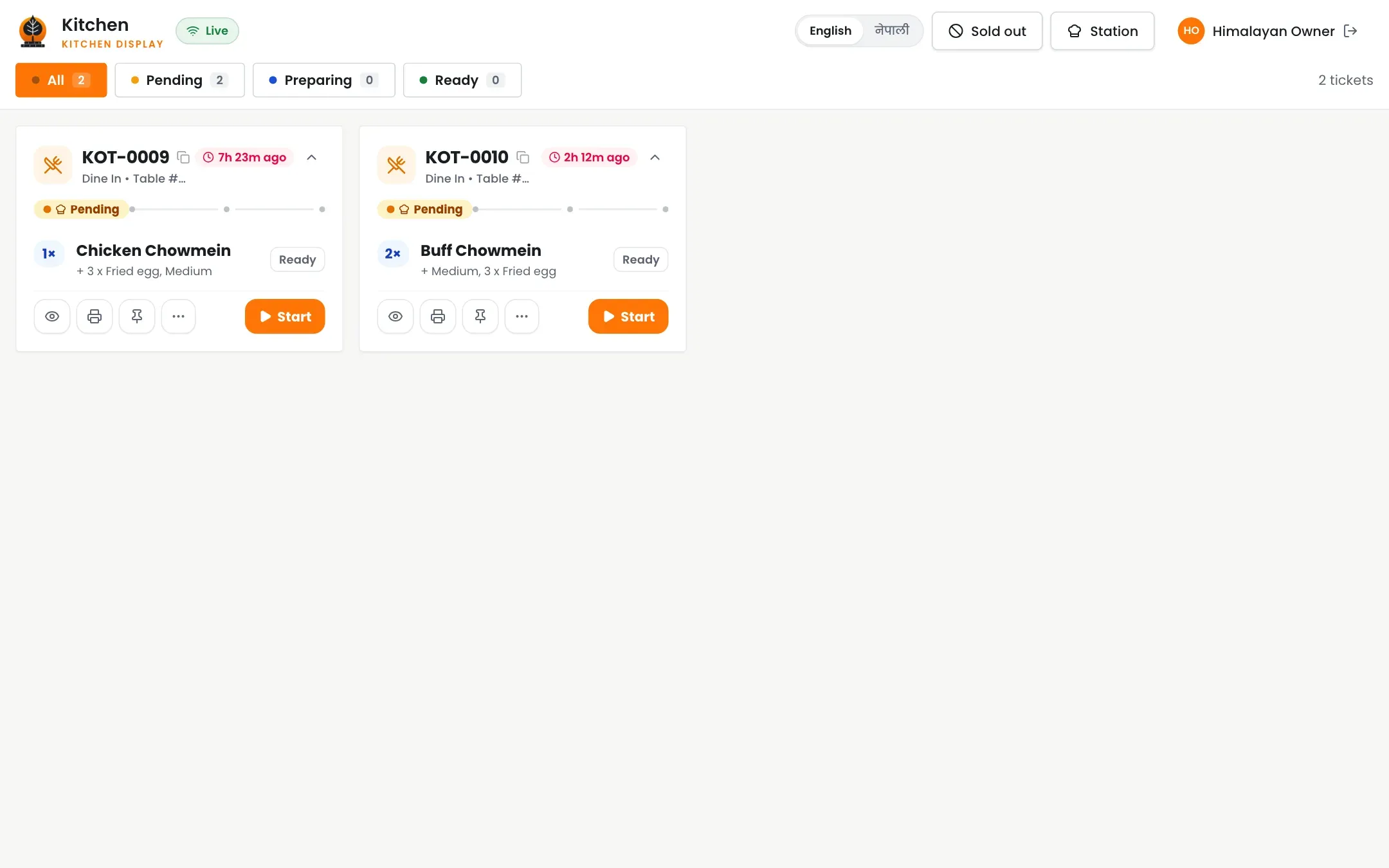
From order to plate
1
Order placed
Dishes are grouped by station the moment the waiter sends them.
2
Cook it
Tickets show on the kitchen screen or print at the station.
3
Mark ready
One tap tells the waiter, and the guest on the QR page.
Outcomes
- No shouting across the kitchen
- No lost paper tickets
- The right dish at the right station
- Waiters stop running back and forth
- Everyone sees the same status
Split tickets for every station
Hot line, bar and dessert each get only their own dishes.
- Kitchen and bar tickets separated automatically
- Remarks come with the dish
- Print at the station or show on a screen
- Reprints are marked as copies
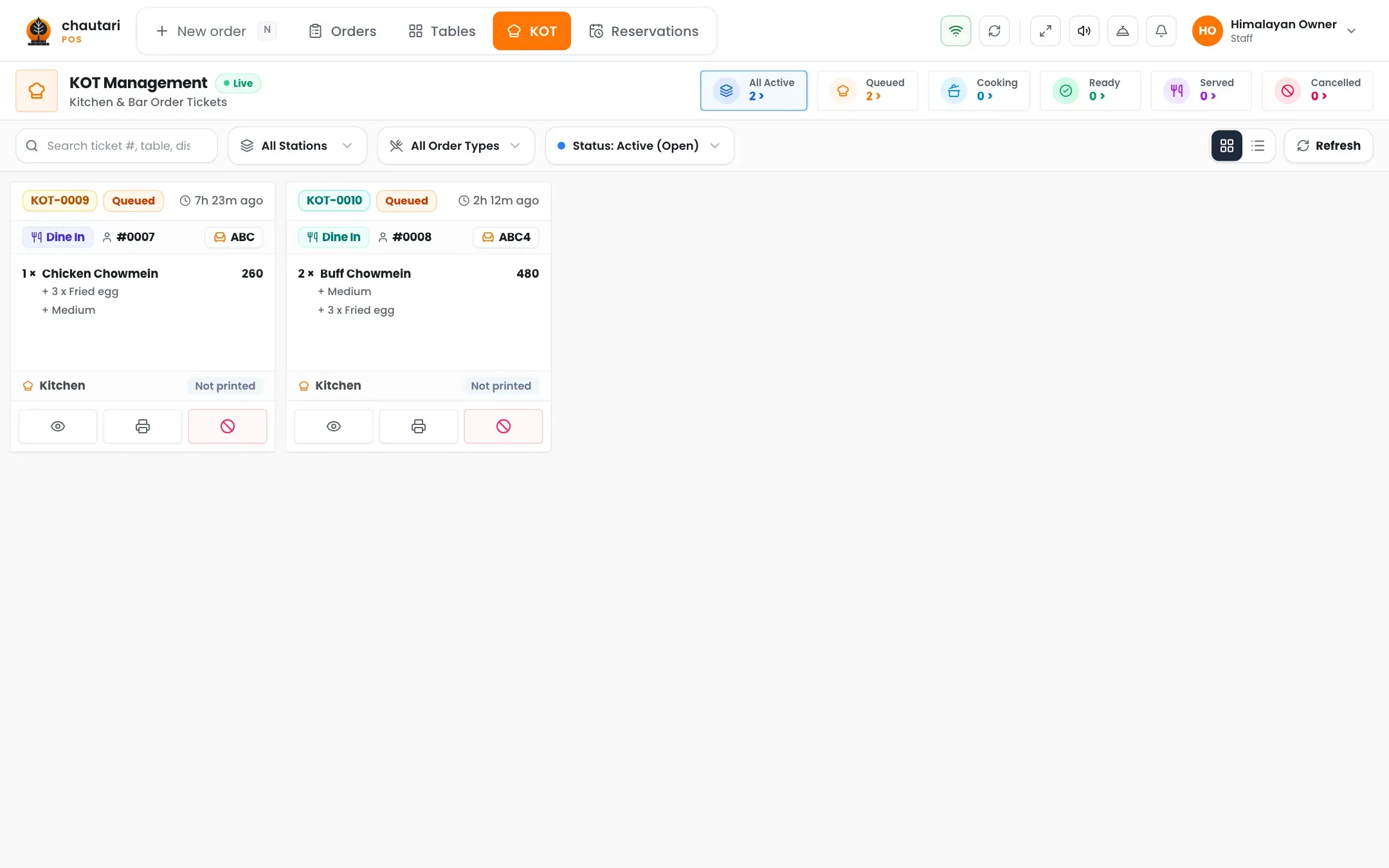
Everyone sees the status
Started, ready, served: the same status everywhere.
- Time since the order was placed
- Waiters see ready dishes on the till
- Guests see progress on the QR page
- Cancelled dishes are clearly crossed out
Do I need a screen in the kitchen?
No. You can use printed tickets, a screen, or both.
Can the bar and the kitchen get separate tickets?
Yes. Each dish belongs to a station and goes only there.
What if a dish is cancelled after it was sent?
The kitchen sees it cancelled, and it needs the right permission to do it.
Can guests see the status?
Yes, on the table QR page.
More from Chautari
Ready for a calmer kitchen?
Set up your menu, tables and printer, then run a real service on it.
Start your free trial