
Take Every Order and Bill Without Slowing Down
Pick a table or start a counter order, add dishes with their sizes and extras, and send it to the kitchen in a tap. Bills are worked out by the server, so the total is always right.

Order taking process
Choose a table
Tap a free table, enter the guests, or start a counter order.
Select items
Tap a dish, choose size, options and extras, add a remark.
Place order
The kitchen screen and printer get the ticket straight away.
Outcomes
- Faster table turnover
- Less stress for waiters
- Fewer mistakes at the counter
- Totals nobody can mistype
- A bill ready when the guest asks
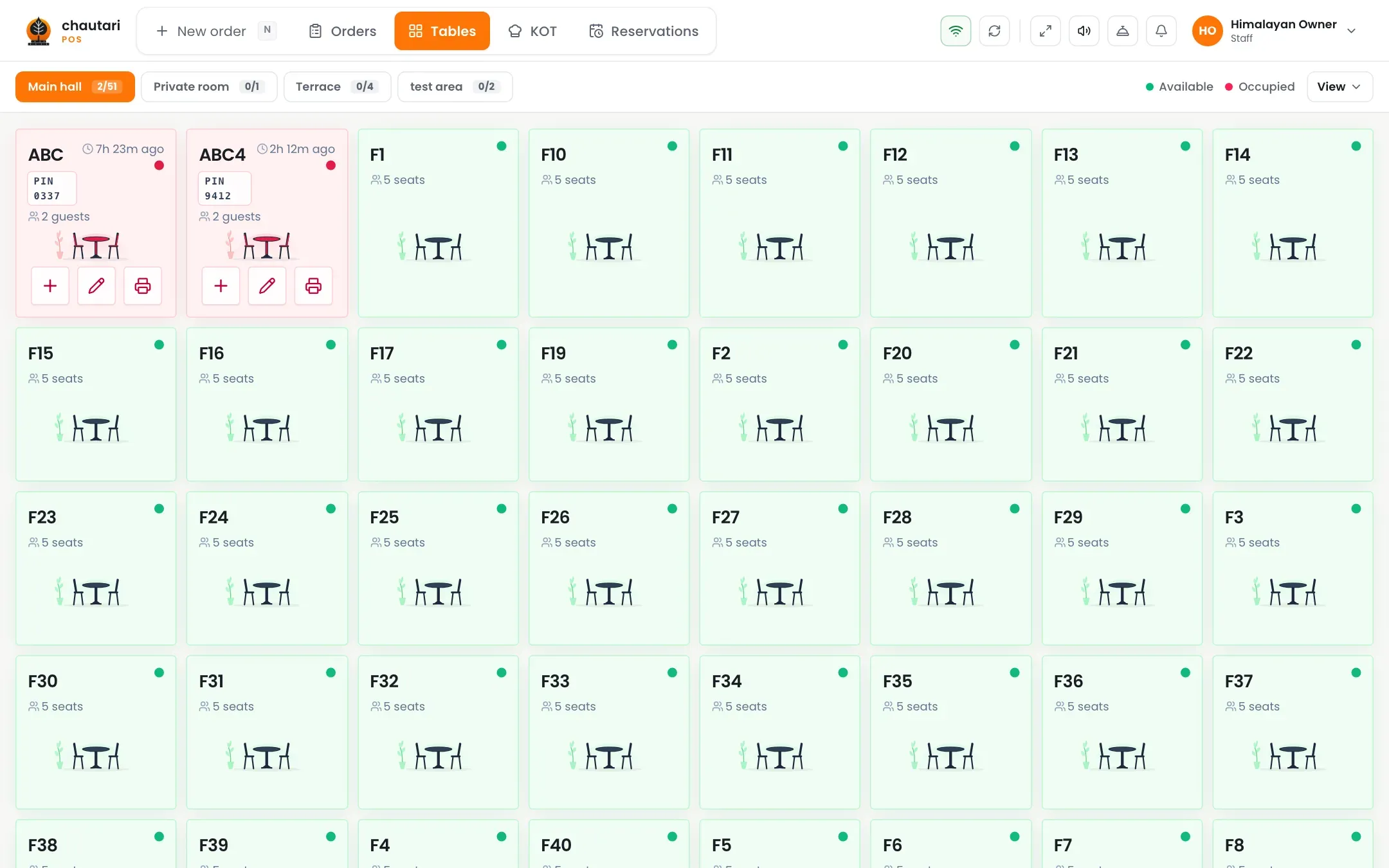
One screen for dine-in, takeaway and the counter
Switch between tables and counter orders without leaving the till.
- Seat guests, move or merge tables
- Counter and takeaway orders in a few taps
- Sizes, options and extras with free allowances
- Remarks on any dish
- Sold-out dishes disappear from the menu
Split and pay the way guests want
Close the table without arguments or a calculator.
- Split equally, by seat or by amount
- Part cash and part card on one bill
- Discounts that can need a manager’s PIN
- Printed bills with the next IRD number
Can I take orders for tables and the counter?
Yes. Dine-in orders go on a table, and counter or takeaway orders do not need one.
Can I split a bill?
Yes: equally, by seat or by amount. Each part becomes its own bill and can be paid a different way.
Who works out the prices and tax?
The server does. Prices, discounts, service charge and VAT are never typed in by hand.
Do I need special hardware?
No. It runs in a browser on a computer, tablet or phone. A thermal printer is only needed for printed bills and kitchen tickets.
More from Chautari
Ready to bill faster?
Set up your menu, tables and printer, then run a real service on it.
Start your free trial